Quick Start
Requirements
- Python 3.10 or newer
Install
Create a clean environment and install the package:
conda create -n epa python=3.10 -y
conda activate epa
python -m pip install epica
Run One Pair
Use epa when you have one reference trajectory and one estimated trajectory:
epa <gt_file> <est_file>
Example with the included files:
epa example_data/example_groundtruth.csv example_data/example_estimation.txt
epa runs the full alignment pipeline, detects trajectory formats automatically, writes plots by default, and exports a compact metrics.json. The default public mode is se3; use --mode posyaw or --mode sim3 when those assumptions match your case. Time alignment uses the full input trajectory; later solve/evaluation stages are capped to 100 Hz by default. If format detection is wrong, set --gt-format and --est-format explicitly.
Supported one-pair inputs:
csv/euroc: header-based pose CSV with timestamp, position, and quaternion columnstum: text rows int tx ty tz qx qy qz qwkitti: text rows with a 3x4 pose matrixbag,bag2,mcap: ROS log inputs with explicit topics
Check Outputs
Each run creates a timestamped directory under outputs/:
outputs/run_YYYYmmdd_HHMMSS/
├── metrics.json
├── metrics_summary.csv
├── interactive_report.html
├── report_en.md
├── report_zh.md
└── plots/
    ├── step1_time_alignment.png
    └── step3_alignment_map.png
Start with report_en.md for a readable summary, interactive_report.html for pan/zoom trajectory and metric inspection, metrics_summary.csv for table-friendly numbers, and step3_alignment_map.png for the static aligned trajectory view. Add --debug when you need extra diagnostics such as debug_alignment_pipeline_3d.png to compare internal alignment stages. Add --save-full-metrics only if you need full per-sample arrays for custom analysis. Add --no-downsample only if you need full-rate solve/evaluation.
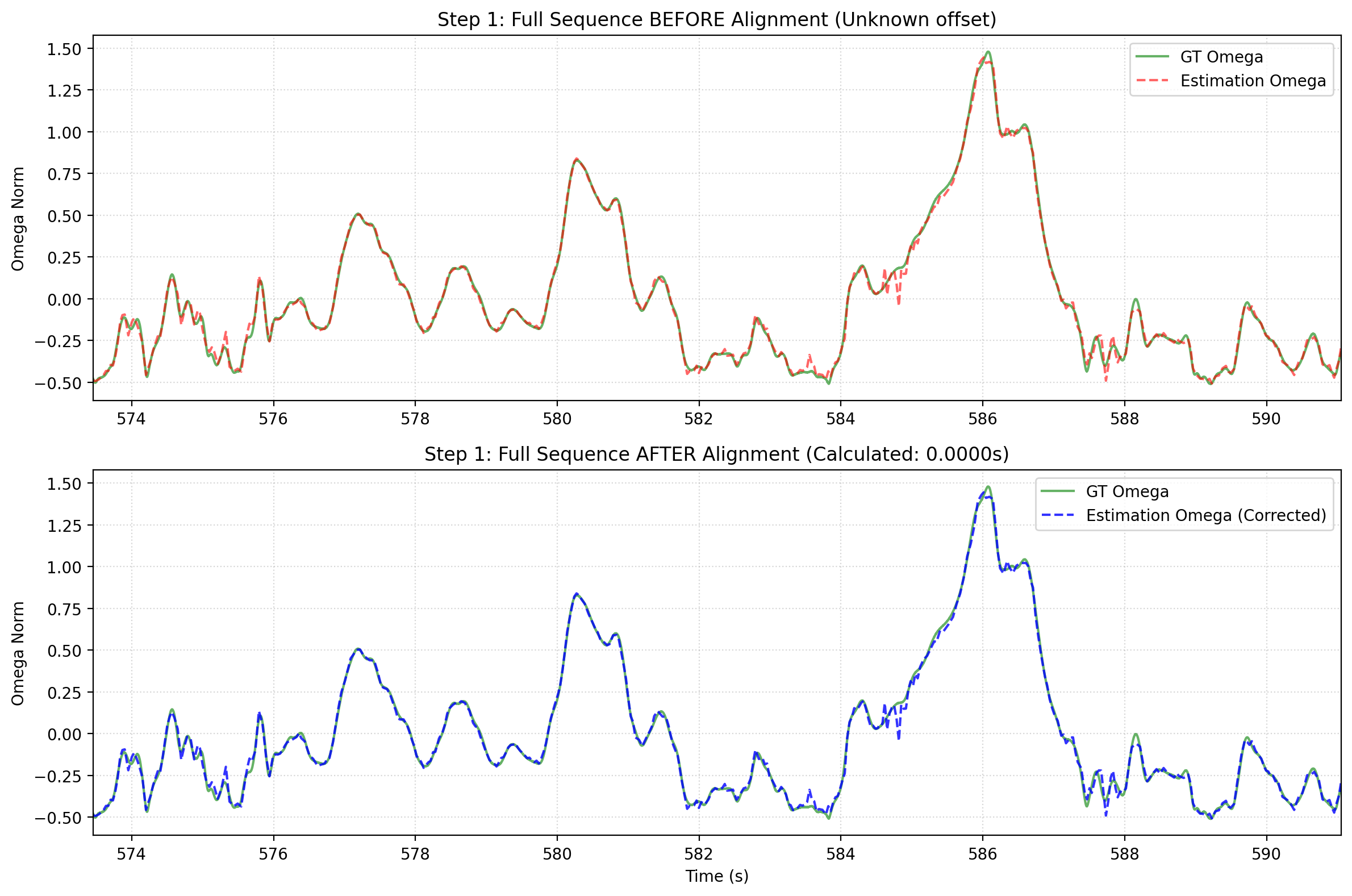
Rotational signals after temporal alignment.
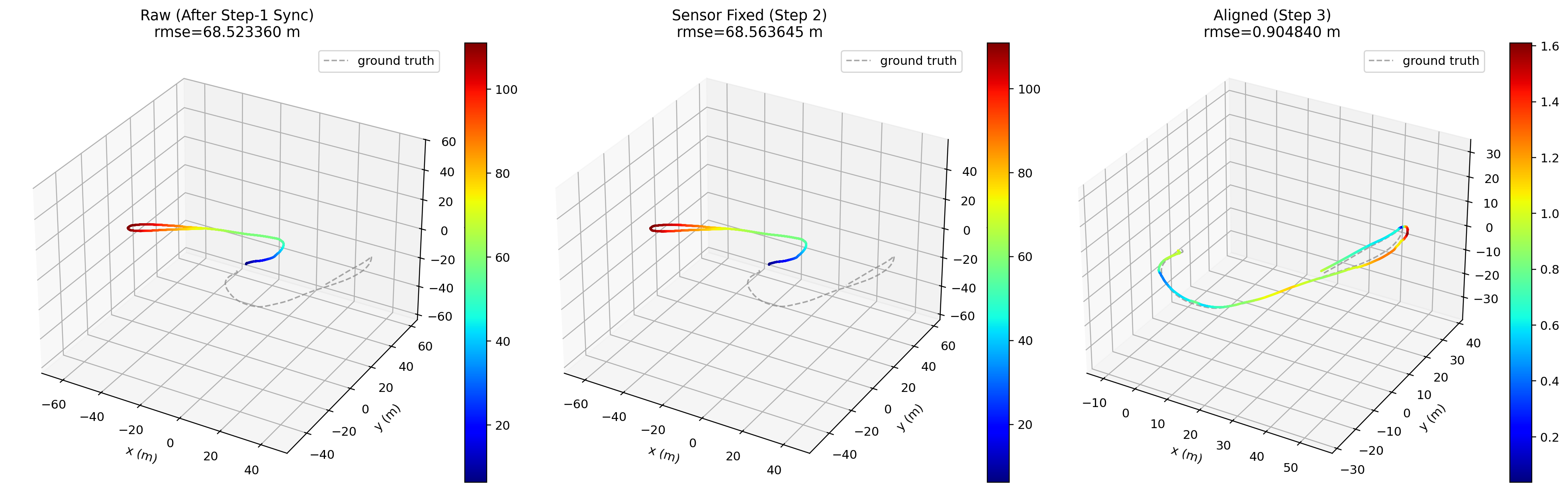
Final aligned trajectory in 3D.
Run A Benchmark
Use epa_bench when you have many cases organized under one benchmark root:
epa_bench <cases_root>
Example:
epa_bench /home/username/epa_data/benchmark_cases
epa_bench runs cases in parallel by default with --jobs auto, writes one folder per case, and collects the results into a benchmark summary:
outputs/<benchmark_name>_bench/run_YYYYmmdd_HHMMSS/
├── summary.csv
├── summary.html
├── summary.md
├── unresolved_cases.csv
├── cases/
├── logs/
└── paper_tables/
summary.html links each completed case to its interactive_report.html when available.
The benchmark root should contain benchmark/ and GT/. Common layouts are:
cases_root/
├── benchmark/<dataset>/pose/<method>/<sequence>/*_poses.txt
├── benchmark/<dataset>/<method>/<sequence>/trajectory.txt
├── benchmark/<dataset>/<method>/<sequence>_poses.txt
└── GT/**/<sequence>.txt
One <method> directory can contain many sequences, either as sequence files or sequence subdirectories.
GT files can use .txt, .tum, or .csv. The pose/ directory is optional.
Temporary prepared trajectory files are removed by default after the benchmark finishes. Add --keep-prepared only if you want to inspect those intermediate files later.
Next Steps
- Go to CLI Reference for command-level options.
- Go to Benchmark Workflow for batch evaluation details.
- Go to Troubleshooting if your first run fails.